Single Salon
For one location.
$[PRICE]per month
- 24/7 online booking page
- Walk-in turn rotation with full and half turns
- Automated SMS reminders ([NUMBER] texts per month)
- Up to [NUMBER] technicians
- Daily turn and service totals
For nail salon owners and front desks
Take bookings around the clock, keep walk-in turns fair, and send reminder texts automatically — all from one screen your front desk can pick up on day one.
Runs in the browser on the tablet or computer you already have.
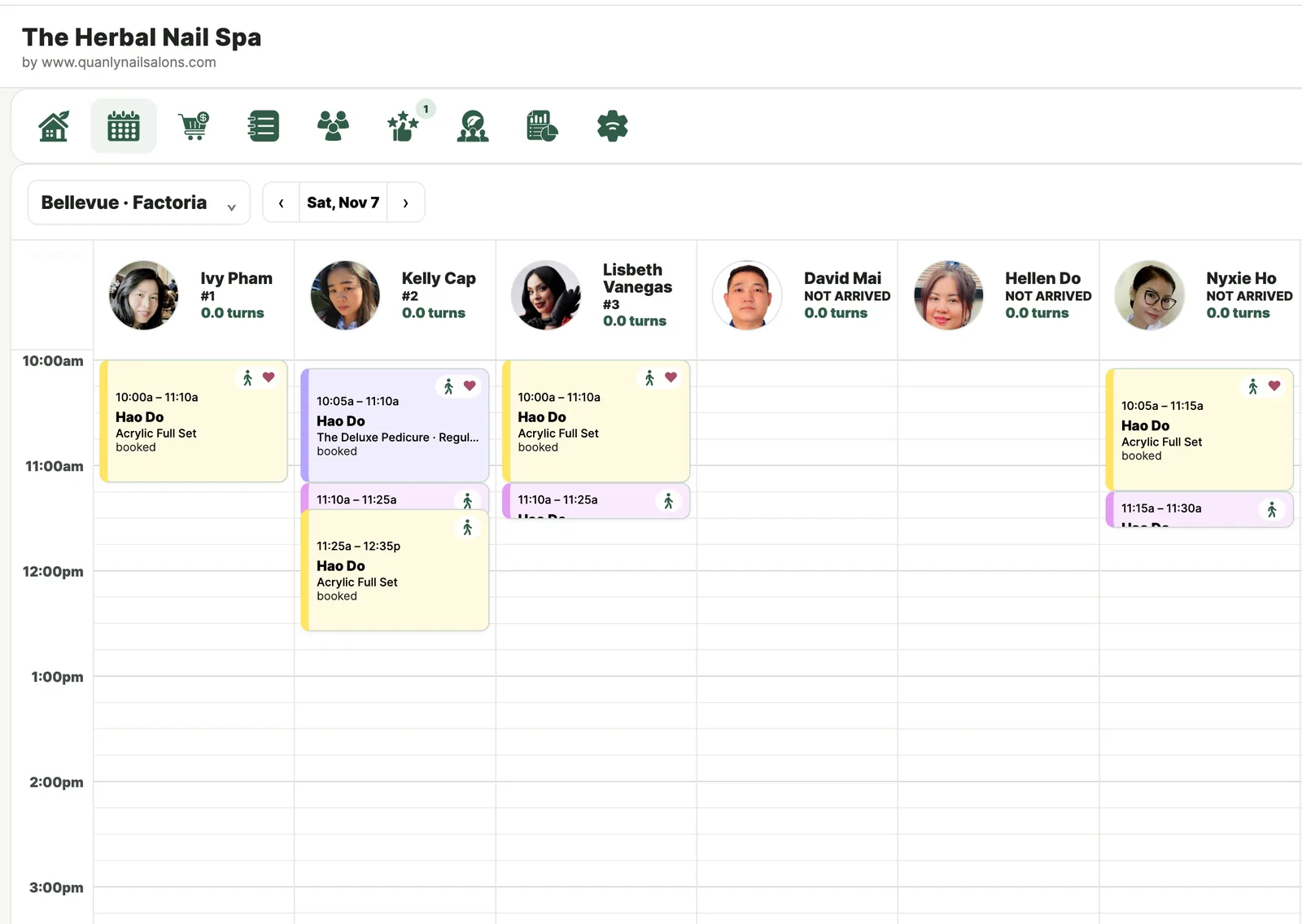
Three tools that usually live in three places — a booking app, a paper sheet and your phone — working off the same schedule.
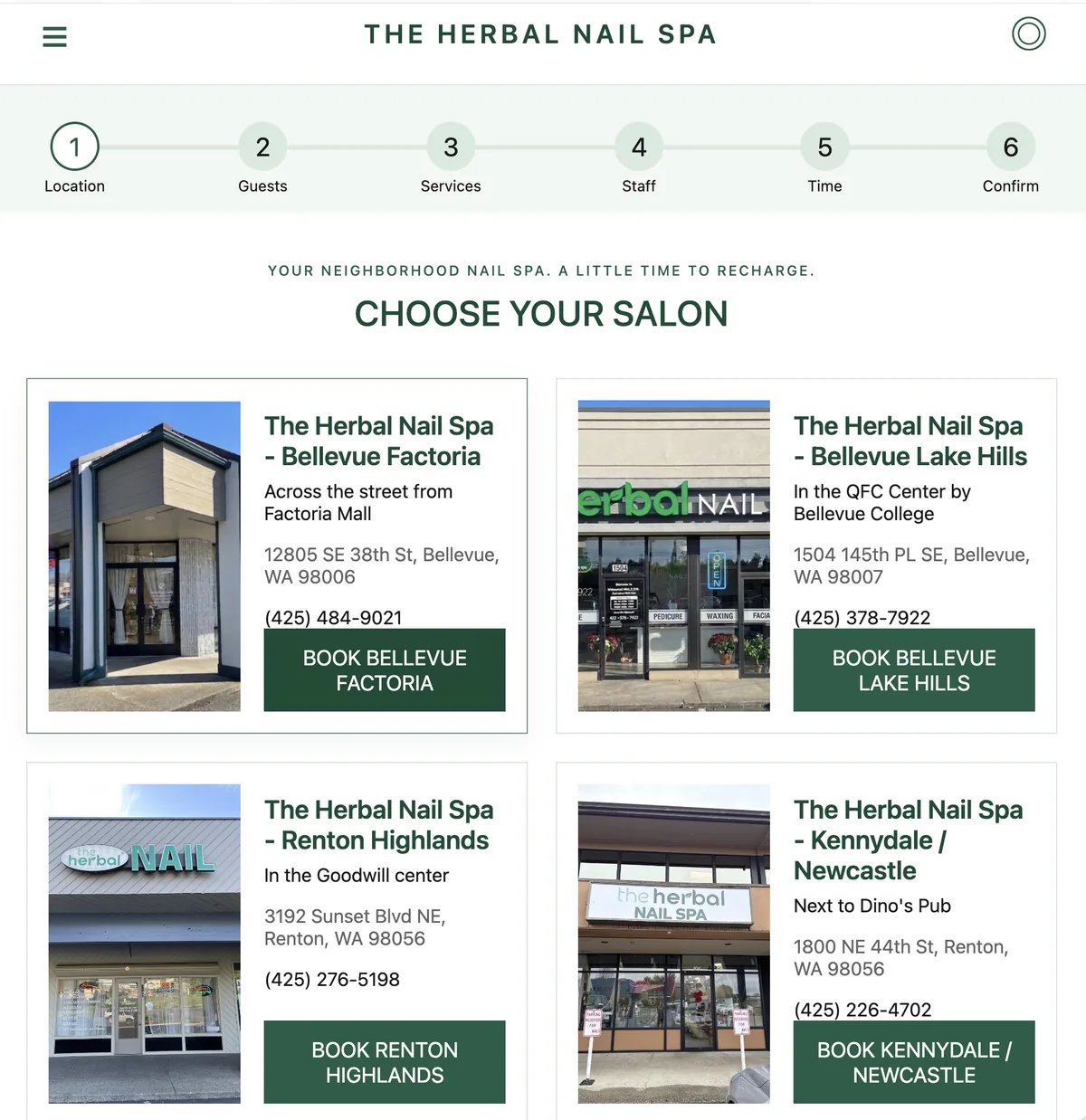
Clients choose a service, a technician or "anyone available," and an open time. You stop playing phone tag after hours.
The next technician up is always at the top. When a turn is taken, the list moves on its own.
Reminder texts go out on their own. Clients reply to confirm or cancel, and the calendar updates.
A paper sheet works until Saturday afternoon. Here's what changes when the rotation moves to a screen.
| At the front desk | Paper rotation sheet | QuanLyNailSalons |
|---|---|---|
| Who's next | Someone reads the sheet and hopes it's up to date | Next tech is shown at the top and updates as turns are taken |
| Half turns and skips | Tally marks and notes in the margin | Counted by the rules you set, the same way every time |
| Late arrivals | Written in wherever there's room | Added to the rotation in order when they clock in |
| Turn disputes | One person's memory against another's | A time-stamped log of every turn, skip and pass |
| Appointments and walk-ins | A booking book and a turn sheet that don't talk to each other | One calendar and one rotation, so booked techs aren't handed walk-ins |
| End-of-day totals | Counted by hand after close | Turns and services per tech, ready when you close |
| More than one location | A separate sheet at each desk | Every location's rotation from one login |
Two plans. Both include booking, turn rotation and SMS reminders.
For one location.
$[PRICE]per month
For owners running two or more salons.
$[PRICE]per location, per month
Texts beyond your plan's monthly amount are billed at $[RATE] each.
You list your services with their lengths and prices, and choose which technicians do each one. Clients open your booking link, pick a service, a technician or "anyone available," and choose an open time. The booking shows up on your front desk calendar right away.
Yes. Clients can request a technician by name, or choose "anyone available" to see the most open times. You can also hide a technician from online booking and keep them on walk-ins only.
Technicians enter the rotation in the order they clock in. When one takes a walk-in, they move to the back and the next tech moves up. Technicians with an appointment coming up are passed over so they aren't late for a booked client.
Yes. You decide what each service counts as — a full turn, a half turn, or no turn — or count turns by ticket amount instead. The rotation applies the same rule every time, so no one has to argue over tally marks.
Put them on hold. They keep their place and are skipped until they come back. If they leave for the day, clock them out and the rotation closes the gap.
Clients get a text before their appointment and can reply to confirm or cancel. You hear about cancellations early, the slot opens back up for booking, and your front desk spends less time making reminder calls.
QuanLyNailSalons runs alongside the POS you already use. It handles booking, turns and reminders, and checkout stays in your POS. Direct connections are available for [SUPPORTED POS SYSTEMS].
A tablet or computer with a web browser and internet. Add your services, technicians and turn rules, then share your booking link. You can switch from a paper sheet mid-week by entering today's turn order and carrying on from there.
Set up your services and technicians, and take your first online booking today.